
Hinge Won’t Let Me Like or Match Anyone: How to Fix It
If Hinge won't let you accept anyone, like or match, the usual cause is Your Turn Limits: too many matches are waiting on your reply. The other causes are the free daily like limit, a pending age or ID check, the waitlist, or a like that vanished because the sender deleted their profile. This guide helps you spot which one you have and fix it.
Updated 27 November 2026. Every rule below is checked against Hinge's own help center, with links.
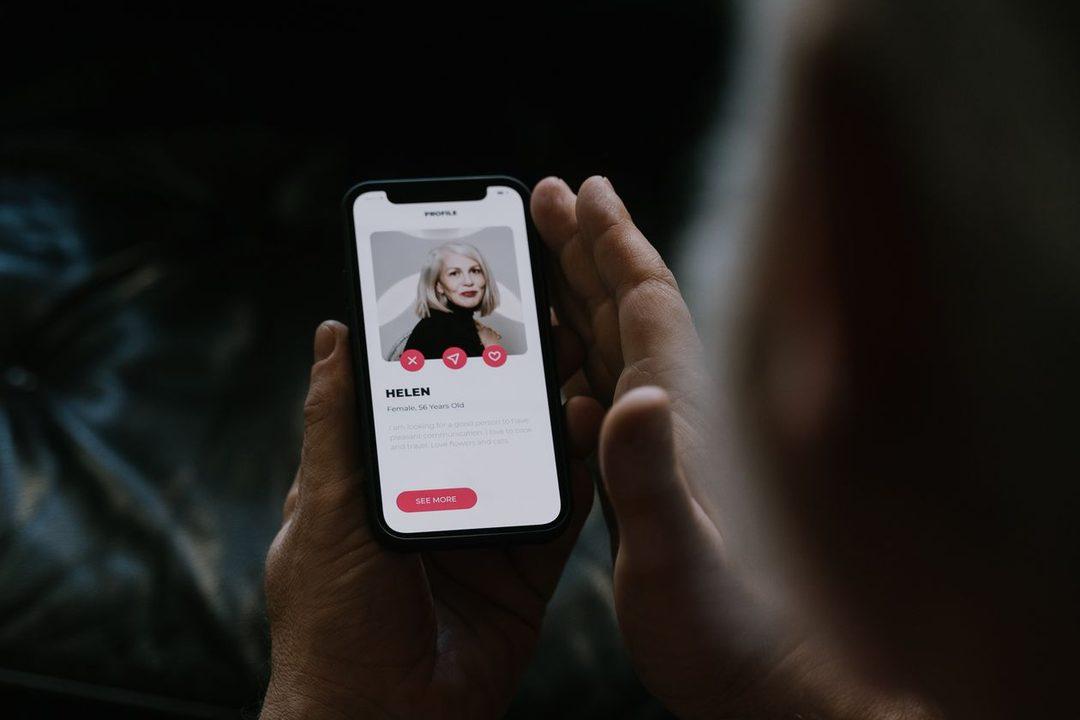
Why won't Hinge let me accept anyone?
Hinge blocks new likes and matches when too many people are waiting for your reply. This is called Your Turn Limits, and it applies to free users and subscribers alike. Reply to the matches waiting on you, or end chats you won't continue, and you can accept likes again. If that isn't it, check your daily likes, any age or ID check, and the waitlist.
Hinge's Your Turn Limits article is direct about it: daters who hit the limit “cannot accept new Likes until they either reply to someone awaiting a response or end the chat.” The same limit also stops you sending new likes. So “Hinge won't let me like anyone” and “Hinge won't let me accept anyone” are often the same problem.
None of these causes is a judgment of your profile. They are rules and account states, and most clear within minutes once you know which one you have.
What do you see when Hinge won't let you match?
The screen you get tells you the cause. Match what you see to the list below before changing anything.
- A pop-up telling you to respond to a match or end a conversation: you've hit Your Turn Limits. A progress bar above your Matches warns you when you're getting close.
- You can accept likes but can't send any more today: you've used your free daily likes.
- A prompt for an age check, video selfie or ID: your account isn't fully unlocked yet.
- A waitlist screen, or the message “You are not able to meet people yet”: your account is on hold. Our guide to Hinge's “You are not able to meet people yet” message covers each hold in detail.
- A like that was there and is now gone: the person deleted their profile, or you skipped them.
- A screen explaining a ban: your account was removed; only an in-app appeal can reverse it.
- Nothing happens when you tap, or it keeps loading: likely a sync or app problem.
- You can match fine, but there's no one to like: that's an empty feed, not a blocked account. See why you can't see anyone on Hinge.
What stops you liking or matching on Hinge?
Seven things can block likes or matches on an otherwise working Hinge account. Start with the first one: it's the only cause Hinge's help center ties directly to accepting likes.
1. Your Turn Limits (too many people waiting on you)
- What Hinge says: when too many people are waiting for a response, you “will not be able to send or receive new Likes” until you act on your current matches (Your Turn Limits).
- The threshold: Hinge doesn't publish a number. Australia's eSafety Commissioner describes it as eight or more matches you haven't responded to.
- Who it applies to: everyone, including Hinge+ and HingeX subscribers. Your matches aren't told that you hit the limit.
- Fix: reply in chats where it's your turn, or end the conversations you don't expect to go anywhere.
2. You're out of free likes for the day
- What Hinge says: free users “can send only a select number of likes per day”; Hinge+ and HingeX include unlimited likes (Subscription and Purchase Benefits).
- The number: Hinge doesn't state it. The eSafety Commissioner lists up to eight likes a day for free users, resetting at 4:00 am local time.
- What it blocks: sending likes. You still receive likes, and you also get 1 free Rose a week (free Roses don't stack up).
- Fix: wait for the reset, or spend your free Rose in Standouts.
3. An age or ID check that isn't finished
- What Hinge says: if you're shown an age check, “You won't be able to send likes or messages, and your profile won't be visible to others, until you successfully complete the age check” (Age Checks at Hinge).
- During review: new users can send likes while Hinge manually reviews an age estimate, but those likes aren't delivered until the review is done. While an ID is under review, you “won't be able to view, match with or message other daters.”
- Fix: complete the check the app shows you (a Face Check scan, video selfie, face photo or ID, depending on your country) and wait for it to clear.
4. You're on the waitlist
- What Hinge says: in some regions new members start on a waitlist, and only once you're off it can you “view, like, and interact with other daters.” Wait times can range from a few hours to a few months or more.
- Watch out: Hinge says certain profile changes can put a dater back on the waitlist after they were let in.
- Fix: complete your profile, use clear photos where you're the focus, write specific prompts and finish Selfie Verification. Hinge lists all of these as things that may help you get in sooner.
5. The like disappeared before you could accept it
- What Hinge says: if someone liked you and their like is no longer visible, “it means they deleted their Hinge profile” (Why did my Like disappear?). There's nothing left to accept.
- Or you skipped it: free users see one incoming like at a time and must match or skip to see the next. Free users get 1 Undo Skip per week, shared across Discover, Standouts and Likes You.
- Fix: if you skipped by accident, tap the undo arrow straight away. It only brings back your most recent skip.
6. Your account was banned
- What Hinge says: a banned account can't be replaced with a new one, and Hinge often doesn't give the specific reason (Why was my account banned?).
- Fix: tap Appeal on the ban screen in the app. Hinge says it only processes appeals submitted in-app, not by email or social media.
7. A sync problem or app glitch
- What Hinge says: if you've sent or received many likes or have a lot of hidden chats, “you may experience a slight delay as our servers sync that data to your app” (Basic Troubleshooting).
- Fix: check your connection, log out and back in, then delete and reinstall the app. Your profile isn't deleted unless you tap Delete Account.
How do you fix Hinge not letting you like or match?
Work through these six steps in order. Each step takes a few minutes and rules out one cause.
Step 1: Screenshot what the app says
Take a screenshot of any pop-up, banner or check screen. It tells you which cause applies, and Hinge support asks for screenshots if you need to contact them later.
Step 2: Clear the chats waiting on you
Open your Matches and go through every chat where it's your turn. Send a real reply to people you'd actually meet, and end the chats that are over. Once you're back under the limit, Hinge lets you send and accept likes again.
Step 3: Accept the like the right way
Go to the Likes You tab, tap the Chat icon, then either send a message or tap Match (per Hinge's matching guide). Sending a message that responds to what they liked or commented on gives the chat a better start than a silent match.
Step 4: Check your daily likes and Roses
If you can accept likes but can't send them, you've likely used your free likes for the day. Wait for the reset, or use your weekly free Rose on someone in Standouts.
Step 5: Finish any age, ID or Face Check
Complete whatever check the app shows. If you're waitlisted or see “You are not able to meet people yet,” follow our account hold guide instead; nothing on the like side will work until the hold clears.
Step 6: Troubleshoot, then contact Hinge
- Log out and back in: profile photo icon, then the gear icon, then Log Out.
- Reinstall: delete and reinstall Hinge to get the latest version.
- Contact support: email hello@hinge.co or submit a request through the help center. Include the date, your app version, your phone's OS version and screenshots. Hinge has no phone support line and warns that phone numbers posted elsewhere are fake.
Will paying for Hinge+ or HingeX fix it?
Only if your problem is the daily like limit. Hinge+ and HingeX include unlimited likes, the ability to see everyone who liked you at once, and unlimited Undo Skips. A subscription does not lift Your Turn Limits, skip an age or ID check, or reverse a ban.
- Fixes: running out of likes; seeing only one incoming like at a time; losing a like to an accidental skip.
- Doesn't fix: Your Turn Limits (Hinge says it applies to subscribers too), age and ID checks, a ban, a deleted profile.
- Check first: if the pop-up mentions people waiting on you, paying won't help. Clear your chats instead.
Also note that pausing your profile doesn't pause a subscription, and that Hinge says a like you sent before pausing still reaches the other person, who can still match with you.
Once you can match again, how do you get likes worth accepting?
Start with your first photo, because it's the first thing people see on your profile. Your Turn Limits rewards fewer, better conversations, so it pays to attract people you actually want to talk to.
- Lead with a clear solo photo where your face is easy to see, in good light, with no sunglasses.
- Give people something to like: Hinge likes land on a specific photo or prompt, so specific prompts get specific comments back.
- Only like people you'd reply to: every new match you leave waiting brings you closer to the limit again.
If you want a second opinion, MatchShot is an AI dating profile analyzer that scores your Tinder, Hinge and Bumble photos and tells you what to fix. Upload up to 10 photos (3 or more recommended). With a free account and no credit card, you get your overall 0-100 grade, your lead photo's score with its red and green flags, and your #1 fix. The full report, with every photo scored and ranked plus prompt rewrites, is $2.99 one-time or $9.99 for 5 (see pricing). If you're getting few likes in the first place, our guide on why you're not getting matches on Hinge goes deeper.
FAQ
Why can’t I accept a like on Hinge?
Most often it’s Your Turn Limits. Hinge says daters who hit the limit can’t accept new likes until they reply to someone waiting on them or end the chat. A pending age or ID check can also block matching until it clears.
How many likes do you get on Hinge for free?
Hinge’s help center only says free users can send “a select number of likes per day.” Australia’s eSafety Commissioner lists up to eight a day, resetting at 4:00 am local time. Hinge+ and HingeX include unlimited likes.
Does HingeX get rid of Your Turn Limits?
No. Hinge says Your Turn Limits applies to every dater with too many people waiting for a reply, subscribers included. Subscribers can send unlimited likes again once they reply to or end those chats.
Why did a like disappear before I could accept it?
Hinge says that if someone liked you and the like is no longer visible, they deleted their Hinge profile. If you skipped them yourself by mistake, the undo arrow can bring back your most recent skip (free users get 1 Undo Skip per week).
Why can I only see one like at a time on Hinge?
That’s how the free version works. Free users view one incoming like at a time and choose to match or skip before seeing the next; Hinge+ and HingeX show everyone who liked you at once.
The bottom line
When Hinge won't let you accept anyone, start with your Matches. Reply to or end the chats waiting on you, and Your Turn Limits lifts. If it's not that, check your daily likes, finish any age or ID check, and see our account hold guide for waitlists. Once you're matching again, make sure your first photo earns the likes with a free MatchShot score.
Hinge is a trademark of its owner. MatchShot is not affiliated with, endorsed by or sponsored by Hinge. Hinge features and rules were checked on 27 November 2026 against Hinge's help center and the eSafety Commissioner's Hinge guide and may change or vary by country. No profile change or tool can promise matches or dates.
Related guides
Matching again? Make your first photo count.
Upload up to 10 photos. Your overall score, lead photo critique and #1 fix are free in about a minute, with a free account.
Get My Free Score →Free score. Full report $2.99 one-time. No subscription.