
Hinge Photoshoot: How to Do a DIY Shoot by Yourself
A DIY Hinge photoshoot takes about 30 minutes with your phone, a stand and the self-timer. You don't need a photographer or a friend to get a clear headshot, a full-body photo and a couple of shots that show what you do. This guide gives you the gear list, a timed shot list and a way to pick the final 6.
Published by MatchShot, a free AI dating profile analyzer that scores your Tinder, Hinge and Bumble photos and tells you what to fix. Everything in the shot list works without us.
Can you do a Hinge photoshoot by yourself?
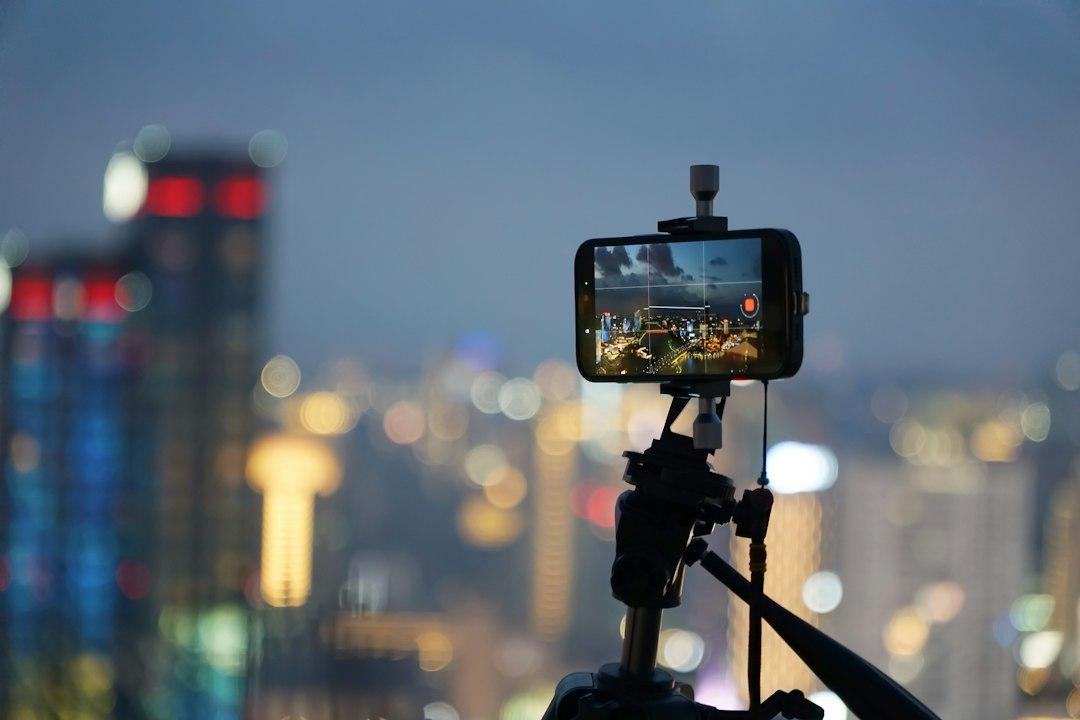
Yes. Prop your phone at chest height, use the back camera with a 3- or 10-second timer, and shoot in soft daylight. In 30 minutes you can cover the four shots a Hinge profile needs most: a smiling headshot, a full-body photo, an interest or activity shot and a candid second look. Then add one photo with friends from your camera roll.
- Time: about 30 minutes, plus 10 minutes to pick and crop.
- Gear: your phone, something to stand it on and a window or open shade.
- Goal: at least 10 usable shots so you can choose Hinge's 4 to 6.
- What you can't shoot alone: group photos. Borrow one from a recent night out.
What photos does Hinge need?
Hinge asks for four to six photos, depending on local requirements, plus three prompt answers, according to its help page How do I edit my profile? Its Community Guidelines add that at least one photo must clearly show your face, and that misleading or outdated photos go against its values. So your shoot should produce recent photos that look like you on a good day.
Hinge also shares what it has seen in its own data. Its help article Why Aren't I Getting Any Matches? lists the photo types that tend to get more and fewer Likes:
- Tend to get more Likes: photos that show your interests, candid photos, black-and-white photos, sports photos, smiles, and photos with friends or pets.
- Tend to get fewer Likes: selfies (especially bathroom or mirror selfies), posed photos, filtered photos, beach photos, sunglasses, and photos with a potential significant other.
That list is your brief. A self-timer shoot replaces the mirror selfie, and moving between clicks turns "posed" into "candid". For more on which photo types work, see our guide to the best Hinge photos.
What do you need for a DIY Hinge photoshoot?
You need a phone, a way to keep it still at chest-to-eye height, and the camera's self-timer. A cheap phone tripod helps, but a shelf, a stack of books or a bag on a wall works too. Everything else is light and outfits.
- A stand: a phone tripod or anything stable. Set it at chest to eye height; shooting from below is rarely flattering.
- The self-timer: both iPhone and Android camera apps have a 3- or 10-second timer. Use 10 seconds when you need to walk into frame.
- Hands-free extras (Pixel): Google's Pixel Camera help says Pixel 6 and later can start the timer when you raise your palm, and "OK Google, take a picture" takes a photo after a 3-second delay.
- Burst or Live Photos: each click then gives you several frames, so one blink doesn't ruin the shot.
- Light: a big window or open shade outdoors. Avoid harsh midday sun overhead and mixed indoor bulbs.
- Two or three outfits: solid colors that fit well, the kind you'd wear on a date.
- A clean lens: wipe it with your shirt. A smudged lens is the most common cause of hazy phone photos.
The 30-minute Hinge photoshoot shot list
Work through five short blocks: set up, headshot, full body, interest shot and a second look. Each block takes about six minutes. Take lots of frames in each, because you'll only keep one or two.
Step 1 (minutes 0-5): Set up the frame
- Face the window or stand in open shade, so light falls evenly on your face.
- Put the phone on its stand at chest to eye height, about 1.5 to 2 meters away for chest-up shots.
- Use the back camera. Flip to the front camera once to check framing, then flip back.
- Turn on the timer and burst or Live Photos, and turn off beauty filters.
Step 2 (minutes 5-11): The lead headshot
- Frame chest-up, with your face in the top third of the photo.
- No sunglasses, no hat shading your eyes. This is the photo that clearly shows your face.
- Turn your body slightly and your face toward the lens. Smile with your eyes, or think of something funny right before the click.
- Take at least 15 frames. Natural smiles usually show up in the middle of a burst, not the first frame.
Step 3 (minutes 11-17): The full-body shot
- Step back until your whole body fits with a little space above your head and below your feet.
- Start the 10-second timer, walk away, then walk toward the camera and look past it. Motion looks candid.
- Try leaning on a wall or railing with relaxed hands for a second version.
Step 4 (minutes 17-23): The interest shot
- Photograph yourself doing something you really do: cooking, playing guitar, reading in a café, stretching before a run.
- Look at what you're doing, not at the lens. This is the photo that gives people something to comment on.
- Keep the background tidy. Clutter pulls attention away from you.
Step 5 (minutes 23-30): Second look and candids
- Change your top and move to a new spot, like a street corner, a park or a different room.
- Take a laughing shot, a look-away shot and a seated shot.
- Try one black-and-white edit later. Hinge lists black-and-white photos among the types that tend to get more Likes.
Afterwards, add one photo with friends or a pet from your camera roll, as long as it's recent and you're easy to spot. If you're still deciding between a DIY shoot and paying someone, our guide to whether a dating profile photographer is worth it compares the options.
How do you choose which photoshoot pictures go on Hinge?
Keep the sharpest frame from each block, put your clearest smiling headshot first, and cut anything that repeats. Six photos that each show something different beat six versions of the same smile. Check each shot at full size; a photo that looks fine as a thumbnail can be soft on a big screen.
- Lead photo: your best chest-up headshot. Our guide on which photo should be first on Hinge goes deeper.
- Photos 2 to 6: full body, interest shot, second outfit, a candid, and a recent photo with friends or a pet.
- Let Hinge test the order: Hinge's Top Photo setting tests your photos and puts the most popular one first. Turn it on under the pencil icon in your profile.
- Preview it: tap your photo icon, then the pencil icon, then View to see your profile the way others do.
Want a second opinion before you upload? MatchShot's audit scores the photos you upload (up to 10, 3 or more recommended). With a free account and no credit card, you get your overall 0-100 grade, your lead photo's score with its red and green flags, and your #1 fix. The full report, with every photo scored, a ranked order and prompt rewrites, is $2.99 one-time or $9.99 for 5 (see pricing).
What mistakes ruin a DIY dating photoshoot?
The most common mistakes are low camera angles, harsh light, the same outfit in every shot and staring stiffly at the lens. Each one makes a self-timer photo look like a self-timer photo. Most are fixed in seconds once you know to look for them.
- Camera too low: a phone on a table pointing up isn't flattering. Raise it to chest height.
- Backlight: a bright window behind you turns your face dark. Turn around and face the light.
- Heavy filters or face edits: Hinge says filtered photos tend to get fewer Likes, and its guidelines rule out misleading photos.
- One outfit, one wall: it makes six photos look like one afternoon. Change at least your top and background once.
- Arm-length selfies mixed in: once you have timer shots, leave the selfies out.
For the full list of photo problems to avoid, see our dating profile photo red flags. Once your photos are sorted, our tips on how to get more likes on Hinge cover prompts and timing.
FAQ
Can I take good Hinge photos by myself?
Yes. A phone on a stand, the 3- or 10-second self-timer and good daylight are enough for a clear headshot, a full-body shot and a few activity photos. The only shots you can’t make alone are photos with friends, so pull one or two of those from your camera roll.
How many photos do I need for Hinge?
Hinge says members need between four and six photos, depending on local requirements, plus three prompt answers. Aim to leave a solo shoot with at least 10 usable shots so you can choose the best 6.
Should I use the front or back camera?
Use the back camera when you can, because it’s usually the sharper one, and use the timer to get into position. Flip to the front camera only when you need to check framing, then switch back.
What should I wear for a Hinge photoshoot?
Bring two or three outfits you’d actually wear on a date, in solid colors that fit well. Changing your top between setups makes the photos look like they were taken on different days.
Is it obvious if I used a self-timer?
Not if you move. Walking, laughing or looking off to the side between timer clicks reads as candid. Stiff, centered poses staring at the lens are what give it away.
Can I use AI to edit my DIY photos?
Light fixes like exposure and cropping are fine. Hinge’s Community Guidelines say misleading or outdated photos go against its values, so don’t change how you look.
The bottom line
A DIY Hinge photoshoot needs 30 minutes, soft light, a steady phone and a shot list, not a photographer. Shoot a clear headshot, a full-body photo, an interest shot and a second look, add one recent photo with friends, and put your best smiling headshot first. Then check the set once more before you upload.
Hinge is a trademark of Match Group, LLC or its affiliates. iPhone is a trademark of Apple Inc. Pixel is a trademark of Google LLC. MatchShot is not affiliated with, endorsed by or sponsored by any of these companies. Hinge requirements and features were checked on 16 November 2026 against Hinge's help center and may change or vary by region. No photos were tested for this article.
Related guides
Check your new Hinge photos before you upload
Upload up to 10 photos. Your overall score, lead photo critique and #1 fix are free in about a minute, with a free account.
Get My Free Score →Free score. Full report $2.99 one-time. No subscription.