
How to Pick Dating Profile Photos and Spot Your Worst
To pick dating profile photos, find your worst photo first, then compare the rest in pairs and lead with your clearest solo shot. Your worst photo is usually the one where your face is hard to see, you are hard to spot, or it repeats another photo. This guide shows how to spot it, how to get an honest second opinion, and how to let Hinge, Tinder and Bumble test the order for you.
We make MatchShot, so weigh our view accordingly; every app rule below links to that app's own help center or blog.
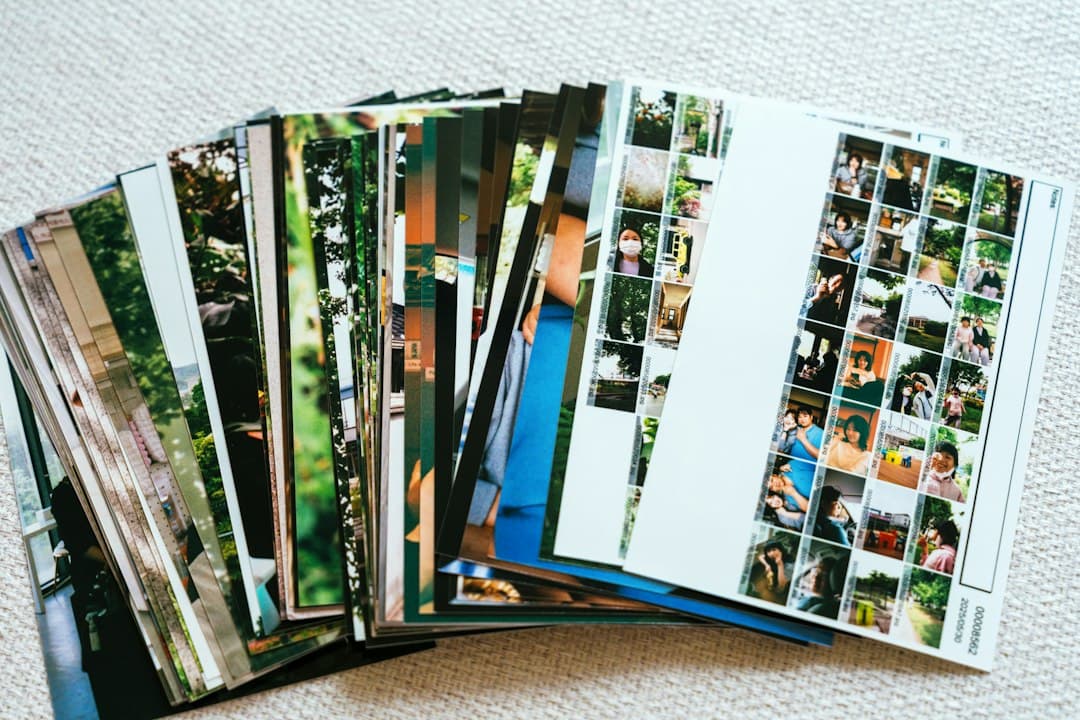
How do you pick dating profile photos?
Start by cutting your worst photo, not by choosing your favourite. Check every photo for a clear face, an easy-to-spot you, a recent date and something new to show. Compare the survivors two at a time, ask someone else to pick, and lead with your clearest solo photo. Hinge's Top Photo, Tinder's Smart Photos and Bumble's Best Photo can then test the order.
- Your worst photo: usually hides your face (sunglasses, hats, filters), makes you hard to find (group shots), or repeats another photo.
- Your best photo: a recent, well-lit solo photo where your eyes and face are clear and the background does not compete with you.
- The rest of the set: a mix of activities, settings and poses, so each photo shows something new.
Why is it so hard to judge your own dating photos?
Research shows people pick less flattering photos of themselves than strangers pick for them. In two online studies with 610 participants, published in 2017 in Cognitive Research: Principles and Implications, photos chosen by other people gave more favorable first impressions than the photos people chose of themselves.
The authors, David White, Clare Sutherland and Amy Burton, put the practical lesson simply: “should people wish to ‘put their best face forward,’ they should ask someone else to choose it.”
Tinder's own engineers say much the same. In a post on how Tinder uses AI to rank profile photos, they write that photos from great memories might seem like solid choices, “but what a user likes best isn't always what performs well.” Your favourite photo often reminds you of a good day. A stranger only sees the photo.
- You know the story behind it. A blurry concert photo feels special to you; to someone swiping, it is just blurry.
- You compare photos to how you felt, not to each other. Ranking photos side by side fixes this, as the steps below show.
What makes a dating profile photo your worst?
Your worst dating photo is the one that fails the most basic checks: your face is unclear, you are hard to identify, it looks dated, or it adds nothing new. The apps themselves publish what these failures look like. Judge the photo, not yourself; these are fixable photo problems, not verdicts on how you look.
Your face is hidden or unclear
Bumble's guide to choosing your best first photo says hats, sunglasses and photo filters “distract from what you actually look like,” and recommends a photo where people can clearly see your eyes and face. Hinge's Community Guidelines also require at least one photo that clearly shows your face.
It is on Hinge's “fewer Likes” list
Hinge's help article “Why Aren't I Getting Any Matches?” lists the photo types that, based on its research, tend to get fewer Likes:
- Selfies, especially bathroom and mirror selfies
- Posed photos
- Photos with filters
- Beach photos
- Sunglasses
- Photos with a potential significant other
The same article says photos that show your interests, candid photos, black-and-white photos, sports photos, smiles and photos with friends or pets tend to get more. If a photo sits on the first list and you have a candidate from the second, that is an easy swap.
People cannot tell which one is you
Bumble advises saving group photos for later slots and choosing a lead photo that makes it “100% clear that it's your profile they're looking at.” A group photo is rarely your worst by default, but a group photo in slot one, or one where you are a small face at the back, usually is. Our guide to group photos on dating apps covers when one is worth keeping.
It repeats another photo
Tinder's Photo Tips feature looks at your photos as a set and checks whether they are too similar. One of its example suggestions is to swap one of several similar selfies for a hobby photo. If two photos show the same angle, outfit and setting, the weaker of the pair is a strong candidate for your worst.
It is old, or the background wins
Hinge's Community Guidelines say misleading or outdated photos go against its values, and Bumble's data team recommends putting your most recent photos at the top. Bumble also suggests skipping the messy bedroom or the driver's seat of your car. If the first thing you notice is the clutter, the lighting or the steering wheel, the photo is working against you.
How to pick dating profile photos, step by step
Gather more photos than you need, cut the ones that fail the checks above, rank the rest in pairs, then confirm the result with someone else. It works the same way on Hinge, Tinder, Bumble and other apps.
Step 1: Gather 10 to 15 candidates
Include the photos already on your profile plus recent ones from your camera roll and photos friends have taken of you. On Tinder, the Photo Selector tool can scan your camera roll on your device and suggest photos based on things like lighting and composition; it filters out group photos.
Step 2: Run the four quick checks
Look at each photo at phone size for a moment, the way someone swiping would, and mark it if it fails any of these:
- Face: can someone clearly see your eyes and face?
- Findable: is it obvious which person is you?
- Recent: do you still look like this?
- New: does it show a side of you no other photo shows?
The photo with the most marks is your first suspect for worst photo. Photos that fail the face or recent check should not go first under any circumstances.
Step 3: Compare the rest in pairs
Asking “is this photo good?” is hard. Asking “which of these two is better?” is much easier. Tinder's latest Smart Photos model works the same way: it compares two photos of the same person at a time and ranks the set by how often each photo wins. Do it by hand: put two photos side by side, keep the stronger one, and repeat. The photo that loses almost every pairing is your worst.
Step 4: Get an outside opinion
Because people choose better photos for others than for themselves, show your shortlist to a friend you trust and ask, “Which one would you cut?” rather than “Which do you like?” Bumble gives the same advice: when in doubt, ask a friend.
If you would rather not ask anyone, try MatchShot, a free AI dating profile analyzer that scores your Tinder, Hinge and Bumble photos and tells you what to fix. You upload 3 to 6 photos and get a report in about 60 seconds, with no account and no credit card.
- What you see: an overall 0-100 score with a tier from Excellent (90+) to Rebuild (under 40), plus a score for every photo.
- How photos are judged: first impression, photo quality, pose, facial expression, environment and value signal.
- Flags: red and green flags per photo, such as mirror selfies, car selfies, sunglasses, clutter, heavy filters or a group photo as your lead.
- The ranking: a lead-photo order telling you which photos to keep, swap or cut, so your weakest photo is named with a reason.
An AI score models what tends to work; it cannot promise matches. For more ways to get a score, see our guides to free dating profile analyzers and rating your Tinder photos for free.
Step 5: Replace the worst photo and set the order
Swap your lowest-ranked photo for your best unused candidate, then put your clearest recent solo photo first. Our guide to which photo should be first on Hinge walks through choosing the lead. Then preview your profile on your phone: on Hinge, tap your Photo icon, the Pencil icon, then View, as described on Hinge's edit profile help page.
Step 6: Check again after a week or two
Real Likes are the final test. If results stay flat after a week or two, repeat steps 2 to 4 on your current set; your new worst photo is the next one to replace.
Can Hinge, Tinder and Bumble pick your best photo for you?
They can reorder your photos, but none of them removes a weak photo for you. Hinge, Tinder and Bumble each offer a feature that tests which photo should go first. Use them after you have cut your worst photo, not instead of it.
- Hinge Top Photo: uses a machine learning model to predict which photo is most likely to get a Like and puts it first. Turn it on under your Photo icon, the Pencil icon, then the Top Photo toggle, per Hinge's Top Photo help page.
- Tinder Smart Photos: orders your photos based on how they resonate with other members, and you can opt out or order them by hand at any time, according to Tinder's engineering blog.
- Tinder Photo Tips: in select markets, reviews your photos as a set and may suggest adding a photo type or replacing a similar one.
- Bumble Best Photo: tracks which of your first three photos gets the most right swipes and moves it to the top. Toggle it on in your photo section under Edit profile, per Bumble's guide.
These tools only choose among the photos you upload. If your worst photo is still on your profile, it is still being seen by people who scroll past your lead.
Should you delete your worst photo or replace it?
Replace it if you can, because empty slots cost you too. Hinge requires between four and six photos depending on local requirements, and Bumble's data scientists say profiles with six photos are nearly twice as likely to get likes as profiles with just three. So the goal is a full set with no weak links, not a shorter set.
- If you have a better candidate: swap it in straight away.
- If you have nothing better: take one new photo this week. Ask a friend to shoot a few in daylight, somewhere that shows a hobby or a place you like.
- If the photo breaks a rule: remove it now, for example a photo that is outdated or does not clearly show you on an app that requires a clear face photo.
Our guide to how many photos to use on Hinge, Tinder and Bumble covers what each slot in a six-photo set should show, and what makes a good dating photo covers the traits strong photos share.
FAQ
How do I know which of my dating photos is the worst?
Check each photo against the same short list: is your face clear, are you easy to spot, is it recent, and does it show something the other photos do not? The photo that fails the most checks is your worst. Then confirm it with someone else or a free AI photo audit, because people are poor judges of their own photos.
Should I let friends pick my dating profile photos?
It helps. A 2017 study in Cognitive Research: Principles and Implications found that photos chosen by strangers gave more favorable first impressions than photos people chose of themselves. Bumble also suggests asking a friend when you are stuck on your first photo.
Are selfies bad for dating profiles?
Not always, but they rarely belong in your top slots. Hinge’s help center lists selfies, especially bathroom and mirror selfies, among the photo types that tend to get fewer Likes. One good selfie in a varied set is fine; a profile of only selfies is not.
Should I delete my worst photo even if it leaves an empty slot?
Replace it rather than leave the slot empty where you can. Hinge requires four to six photos depending on where you live, and Bumble says profiles with six photos are nearly twice as likely to get likes as profiles with three. If you have nothing better, cut it and fill the slot later.
Do dating apps choose my best photo for me?
Some can reorder your photos. Hinge’s Top Photo and Tinder’s Smart Photos put the photo most likely to get a Like first, and Bumble’s Best Photo tests your first three photos. None of them removes a weak photo for you, so you still need to cut the worst one yourself.
How often should I review my dating profile photos?
Review them whenever your look changes, and any time you have gone a couple of weeks without the results you want. Bumble recommends putting your most recent photos at the top, and Hinge’s Community Guidelines say outdated or misleading photos go against its values.
Pick your photos by cutting the worst one first
The fastest way to a stronger profile is to find your worst photo, replace it, and let someone other than you confirm the order. To see which of your photos is weakest and why, get a free dating photo score from MatchShot. If you are short on good photos, MatchShot pricing covers one-time photo credit packs with no subscription, and credits never expire. Before using any edited or AI-made photo, check each app's rules on misleading photos, such as Hinge's Community Guidelines.
Hinge, Tinder and Bumble are trademarks of their owners. MatchShot is not affiliated with, endorsed by or sponsored by any of them. App features were checked on 27 October 2026 against each app's help center or blog and may change, or vary by country — check the app for current options.
Related guides
Find out which photo is holding you back.
Upload 3 to 6 photos and we'll score each one, flag what's hurting you, and rank them best to worst, free, in about a minute.
Score My Photos →Free score. No credit card.